


Website Hierarchy For SEO

Boosted Build
A well-optimized site is “WHAT EVERYONE WANTS” but here’s something that everyone also miss-out. Every SEO specialist does every possible technique to rank and engage better but “DO THEY THINK ABOUT SITE’S STRUCTURE?”. A well-structured website hierarchy is a backbone of a positive user experience(UX) and a mapped and user-friendly hierarchy is an initial part of that structure. When a number of audiences come to your site they start exploring your site and they can easily navigate if you’ve an well-structured site.
In this blog we’ll learn about why website hierarchy matters for SEO, how to create an effective and navigable one and how it can enhance user engagement.
Why Website Hierarchy Matters
A structure that organizes and manages the content on a site , making easy navigations for users and search engines — Website Hierarchy! Users may get frustrated, without a transparent layout causing higher bounce rates and lower sales rate.
A clear hierarchy helps with:
- Improved User Experience (UX): A website with thoughtful and clear structure leads the users for seamless experience across different levels of information.
- Better SEO Performance: Your site is well-structured, allows search engines to crawl and index your site better.
- Increased Conversion Rates: Users are more likely to take actions (filling a contact form or making a purchase), when they find what they need.
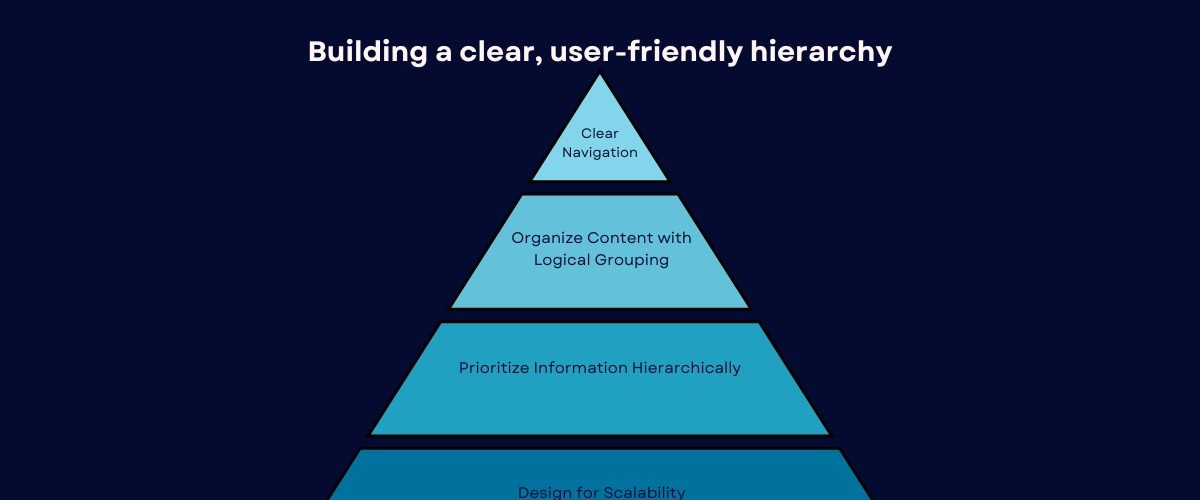
Let’s break down how you can make a scalable design of an effective website hierarchy for both UX and SEO.
1. Start with a Clear Navigation Menu
A well-organized and simplified navigation menu helps users easily find what they need. Keep it simple by focusing on key sections important to your audience.
- Main Categories: These are the high-level sections of your site, such as “Home,” “About Us,” “Services,” “Blog,” and “Contact.”
- Subcategories: For example, underneath “services,” you can have subcategories like “web plan,” “search engine optimization,” and “Social Media Management”
A good rule of thumb is to do logical grouping to keep your top-level menu to 5-7 categories. Too many options can confuse users and make navigation difficult.
2. Organize Content with Logical Grouping
After setting up the main categories, focus on organizing content within them. Logical grouping helps both users and search engines understand the flow of information.
- Use Clear Headings and Subheadings: Prepare content with clear headings (H1, H2, H3) to guide readers. For instance, an “about Us” page can include subheadings like “Our mission” and “Our crew” for clean scanning.
- Limit the Number of Items per Page: Avoid overwhelming users by limiting each section to 5-7 items, and split lengthy content into smaller, digestible parts. This keeps the page organized and easy to navigate.
- Keep Pages Focused on One Topic: Each page should have a specific focus, such as a “Web Design” page dedicated only to your design services, ensuring clarity and relevance.
3. Prioritize Information Hierarchically
Whilst designing your web page, prioritize the biggest data with the aid of positioning it prominently. The maximum essential content needs to appear at the top of the page or within the first few scrolls.
- Use Visual Hierarchy: Larger fonts, bolder colors, and distinct buttons highlight key elements. Prioritize CTAs like “Contact Us” or “Buy Now” to make them stand out visually.
- Fold Consideration: Place important content above the fold, ensuring visitors don’t have to scroll for key information. Crucial details should be near the top of your website.
4. Scalable Design:
A website hierarchy should be scalable to accommodate future growth without disrupting the existing structure. Plan for content category evolution, ensuring the design can adapt as you add services or products.
- Plan for Future Growth: Design your site to accommodate new categories without needing a complete redesign as your services expand.
- Use a Flat Architecture: Minimize click depth to ensure users can access pages in 3 clicks or less, improving usability and SEO.
5. Implement Internal Linking
Internal linking keeps users engaged by guiding them to related content on your site. It encourages exploration, like linking a page on SEO services to a blog post on website optimization. For better SEO, organize proper internal structure of links as it helps search engines understand page relationships. Use descriptive, relevant anchor text to improve both user experience and search rankings.
6. Ensure Mobile-Friendly Hierarchy
With the rise of mobile browsing, ensuring your site’s hierarchy works well on smaller screens is crucial for easy navigation. A mobile-friendly design allows users to access information without zooming or struggling.
- Simplified Navigation for Mobile: Use hamburger menus to marge the navigation and make the layout clean with easy access.
- Responsive Design: Ensure that your site’s structure is responsive and adjustable for all display screen sizes.
7. Test and Refine the Hierarchy
A well-designed website hierarchy isn’t static. You should regularly test how users interact with your site to identify areas for improvement.
- User Feedback: Use tools like surveys or heat maps to gather insights from users about their navigation experience. This can highlight pain points or areas where your hierarchy might be confusing.
- A/B Testing: Test different layout variations to see which one performs best. A simple change, like moving a call-to-action button or adjusting the order of categories, could significantly improve user engagement and conversions.
Conclusion
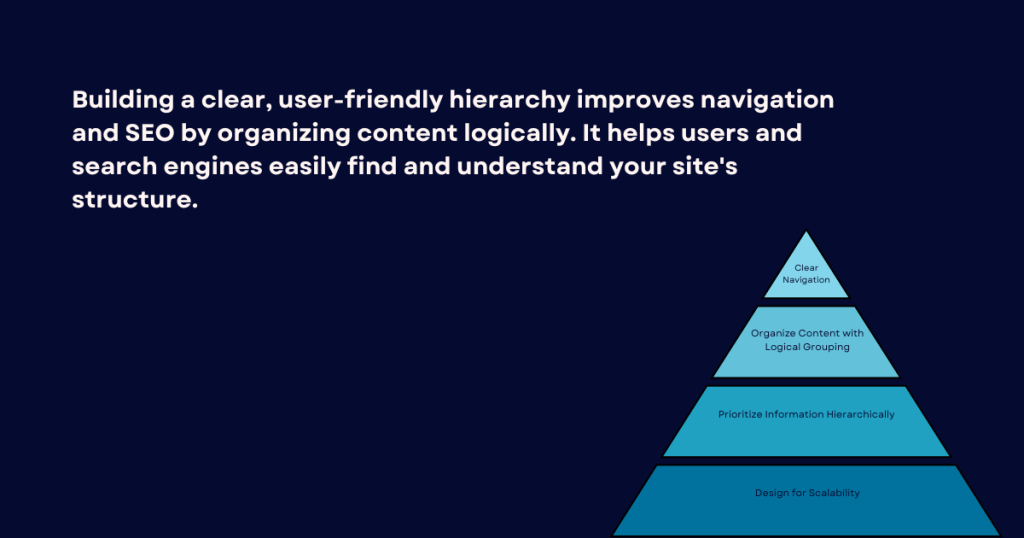
In short, creating a transparent, user-friendly site’s hierarchy is necessary for both enhancing SEO performance and satisfied user experience. You can build a seamless navigation experience that helps the audience to find “WHAT THEY NEED”, by managing content thoughtfully, focusing on key information and making your site scalable.
With careful planning and ongoing refinement, a well-structured website hierarchy can enhance usability, reduce bounce rates, and improve conversion rates, ultimately benefiting your business in the long run.